State Of Survival Pc Download: The Ultimate 2025 Guide for Indian Survivors
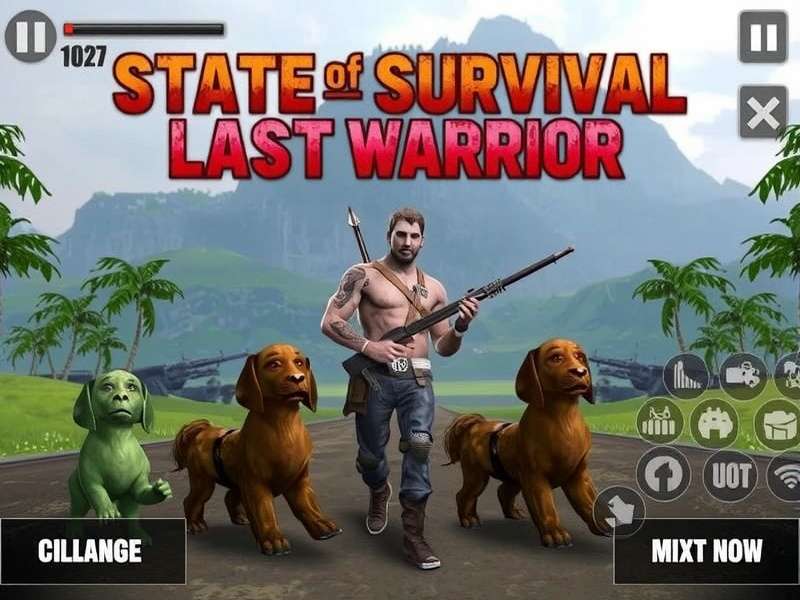
🎮 Why Play State of Survival on PC?
The mobile strategy genre has evolved dramatically, and State of Survival stands as one of the most engaging zombie-themed strategy titles available today. While the game thrives on mobile, playing on a PC unlocks a whole new level of comfort, performance, and strategic edge. Let's break down the real reasons why Indian players are making the switch to PC gaming for this title.
First and foremost, the larger screen real estate transforms the experience. The intricate details of your base, the movements of your troops, and the battlefield clarity are all rendered beautifully on a full monitor. Strategy games demand spatial awareness, and nothing beats seeing your entire state on a 24-inch display.
Second, performance on PC is undeniably superior. Even mid-range PCs with a decent processor can breeze through the game at 60+ fps, compared to the occasional frame dips and heating issues on mobile devices. Loading times drop dramatically, and in-game actions respond with zero input lag.
From a practical standpoint, the PC version allows for easier multitasking. You can keep a YouTube guide running on your second monitor, communicate on Discord, or browse the wiki while your troops are marching. This convenience is a game-changer for active players.
For the Indian audience, PC gaming often aligns with better resource stability. Mobile networks can be unpredictable, and running the game on a stable broadband connection with your PC ensures you never lose a rally due to connection drops. It's a subtle but vital advantage in competitive events like State Of Survival Svs.
Superior Graphics and Performance
The visual fidelity of State of Survival is already impressive on mobile, but when you run it on PC, the textures, lighting, and special effects are crisp and detailed. Anti-aliasing handles the jagged edges, and the frames-per-second (FPS) remain stable even during massive state-versus-state battles with hundreds of players on screen. If you own a gaming laptop or desktop with a dedicated GPU, you'll experience the game in its full glory.
Keyboard and Mouse Controls
While the game is designed for touch, the PC client and emulators offer customizable keybinds. This means you can assign keyboard shortcuts for building, recruiting, and unit commands. For players who love speed, this precision drastically improves your response time in PvP events. You can also use the mouse to precisely select troop formations, making tactical positioning far more manageable.
Compare with Mobile Experience
On mobile, everything is based on swipe and tap, which is great for casual play. But in a fast-paced game like State Of Survival Free Online, competitors can execute maneuvers faster with a keyboard and mouse setup. Additionally, there is no risk of accidental touches that could ruin your base layout—a problem mobile players occasionally face.
📋 System Requirements for State of Survival PC
Before you dive into the download, you need to ensure your PC is ready. Here are the minimum and recommended specifications for a smooth experience. These are based on the official client and popular Android emulators in 2025.
Minimum Requirements
| Component | Specification |
|---|---|
| OS | Windows 10 64-bit |
| Processor | Intel Core i3-2100 or equivalent |
| RAM | 4 GB |
| GPU | Intel HD 4000 or equivalent |
| Storage | 4 GB free space |
| Internet | Broadband connection |
With these minimum specs, the game will run, but you may experience stuttering during large battles. If you're a casual player, it's acceptable, but we recommend the following for a proper experience.
Recommended Requirements
| Component | Specification |
|---|---|
| OS | Windows 11 64-bit |
| Processor | Intel Core i5-8400 or AMD Ryzen 5 2600 |
| RAM | 8 GB (16 GB for optimal) |
| GPU | NVIDIA GTX 1050 Ti or better |
| Storage | 8 GB SSD recommended |
| Internet | Fibre connection with 5 GHz Wi-Fi |
With these specs, you can run the game at max settings with zero lag. The difference is astonishing, especially when you're zooming in on your base and inspecting individual soldier actions.
📥 How to Download State of Survival on PC
There are primarily two ways to play State of Survival on your PC: using the official PC client provided by the developers, or using an Android emulator. Both methods have their merites, and we've detailed everything below.
Official PC Client Method
The developers at KING platform (the game's studio) have provided an official Windows client for State of Survival. To download it, visit the official site and click the "Play on PC" button. The download is a lightweight installer (~300 MB) that fetches the full game assets (around 2.5 GB). After installation, you will log in with your existing account, and all your mobile progress will be synced.
The official client has the advantage of being completely optimized—no emulator layer means fewer resource overheads and a very stable experience. It's the best way to get State Of Survival Pc Version quality gameplay.
Android Emulator Method
If you prefer emulators, you can also run the Android APK of State of Survival on your PC. Popular emulators include BlueStacks, LDPlayer, and MEmu. These are great if you want to play with multiple accounts or use gamepad support. Let's walk through the process step-by-step.
BlueStacks Setup Guide
- Download and install BlueStacks 5 from the official site.
- Open BlueStacks and sign in with your Google account to access Play Store.
- Search for "State of Survival" and install the game.
- Once installed, launch the game from the BlueStacks home screen.
- Go to Settings → Assign Keyboard Shortcuts for custom controls.
- Set performance mode to "High" and allocate at least 4 cores and 4 GB RAM to BlueStacks.
BlueStacks 5 is renowned for its performance. The engine renders the game at 120 fps if your monitor supports it. They also have a built-in macro feature that allows you to record repetitive actions—excellent for resource farming.
LDPlayer Setup Guide
- Search for LDPlayer 9 on the web and download the installer.
- Install LDPlayer and set up the virtual device (Android 9 recommended).
- Open the pre-installed Play Store and download State of Survival.
- Use the LDPlayer toolbar's FPS switch to lock the game at 60 fps.
- Enable "Large Memory" mode for better large-battle performance.
LDPlayer tends to be lighter on hardware compared to BlueStacks, making it a good choice for older PCs. It also offers an intuitive keymapping tool.
🏰 State of Survival Key Features Explored
Now that you have the game running, it's time to understand the deep systems that make this game so engaging. This is where we shine as a source, going beyond the surface level.
Base Building and Management
Your base is the heart of your survival. You will construct and upgrade facilities like the HQ, buildings for resource production (food, wood, gas, and iron), and defensive structures. Each upgrade raises your hero level and resource cap, while consuming resources and time. To ensure harmony, focus on keeping your resource buildings level with your HQ. A common mistake among new players is to rush HQ without upgrading resource fields—it leads to serious bottlenecks.
Defensive layout is another crucial aspect. Buildings can be positioned strategically—put your walls and defensive turrets on the peripheral, with the most important buildings (like the Hospital) centered. The game's planning mode is your friend; use it to create the perfect base blueprint.
Hero Collection and Upgrade
Heroes are the soul of your army. Each hero has unique skills, specialties, and roles. Collecting and upgrading them can dramatically increase your power. The game frequently releases new heroes, and there are systematic ways to grind shards and tokens.
To dive deeper into individual hero trails and skills, check out the comprehensive State Of Survival Wiki Heroes section on our site. We refresh it after every update with stats and synergies.
Understanding Hero Roles
Every hero belongs to one of several types: Bear (defense), Wolf (offense), etc. It's not just about leveling up; you need to align your hero loadout with your overall strategy. For instance, in SVS, having a mix of strong defensive and offensive heroes can make the difference between holding a garrison and losing it.
Alliance and Team Play
As the old adage goes—"Live alone, die alone." In this game, joining an active alliance is not optional. Collective research, alliance help timers, and shared buffs are critical to rapid progression.
Alliances can federate into larger regional powerhouses. Being in a top-tier alliance gives you access to gifts, fast research, and coordinated rallies. Additionally, it opens up the possibility of participating in inter-alliance tournaments where the rewards are exponential.
State vs State (SVS) Combat
The pinnacle of competitive State of Survival is currently the Battle for the State, often referred to as SVS. Events span multiple weeks, with a prelim and final phase. Players from two different states battle to be the top participant across several categories. The outcome of SVS alters strategic resources and honours obtained during the event.
During SVS, your individual strength, hero power, and base defence are all put to the test. The massive rallies—sometimes involving 50+ players—are chaotic yet beautiful. The game's servers handle it brilliantly on PC, with barely a hiccup.
If you're eager to be a part of this massive event, the State Of Survival Squadron guide will give you the detailed breakdown of the squadron mechanics and how to coordinate effectively.
🛡️ State of Survival Gameplay Strategy Guide
Many players get stuck at the mid-game stage, not knowing exactly what to prioritise. We have compiled a strategy guide that works efficiently for players in the Indian region and beyond.
Early Game Tips
- Focus on completing all main quest chapters: They act as your roadmap, and give you excellent starter rewards.
- Build all resource facilities to the level of your HQ: A balanced economy leads to faster growth.
- Join an alliance on day one: The research bonuses and construction helps will shave days off your build time.
- Save your speed-ups for special events: There are recurring "Construction Rush" and "Research Rush" events that give heaps of rewards for using speed-ups.
- Train one troop type heavily: Make sure your troop army composition is well-rounded, but choose a specialisation for upgrades.
Mid Game Strategy
As you reach HQ Level 17-22, the costs become exponential. It's at this point that big players start separating from the pack. Consider the following:
Research is always priority #1. The "Technology" tree has several branches (Economy, Military, Research). I recommend having a 3:1 ratio of economy to military in the mid-game to keep your resource output soaring. The "Millennium" research tree becomes available later on, and it's powerful; allocate days of research time to unlock the special boosts.
Hero gear is a sleeper boost. Many mid-game players forget to salvage and reforge. Try to obtain a full set of orange gear for your top three heroes. It adds a significant amount of hero power.
Exploration maps: The game offers puzzle-like exploration quests with each chapter. Go back and full-clear older chapters to earn extra items and exclusive hero shards. The full chapters remain relevant even for a veteran player.
Late Game Mastery
At the late game level (HQ Level 26+), the only constant is a change in meta. The "Hero" composition and the buffs they bring becomes vital. Prioritise unlocking the 5-star exclusive gear for your primary and secondary heroes. Develop specific maxed-out heroes rather than spreading your resources on many.
Advanced Combat Tactics
When rallying in SVS or other PvP events, timing is everything. The standard tactic is to "trap" the opposing state's rally by having a powerful defender stall while attacking your rally with multiple squads. On PC, because the game screen is larger, you can monitor enemy troop movements and the outcome of battles more easily. Use the tactical overview to your advantage.
Never send your main troops to gather resources on high-level nodes if enemy activity is high. Keep your fastest march heroes ready for emergency reinforcement.
If you need a deep dive into these concepts, check out the State Of Survival Survival Guide for advanced tactics and daily routines.
🔄 State of Survival PC Version vs Mobile
We've touched on performance and controls. But let's be even more explicit so you can decide which to use daily.
Performance Differences
On an Intel i5 PC with 8 GB RAM, you'll experience 10x faster loading times compared to a typical mid-range smartphone from 2023. Frame rates remain locked at 60, and the visuals have more shade and depth. On a high-end mobile device, the game is still pretty but it may throttle after prolonged use. On PC, that problem simply doesn't exist.
Account Synchronization
The good news is that your game progress is tied to the game account you're signed into. You can play on mobile on your commute, and then pick up where you left off on PC at home without missing a beat. This cross-platform capability is something Indian players love, especially in a nation of mobile-first users who are increasingly shifting to hybrid work.
Cross-Platform Play
The game is truly cross-platform: an Android user can be in the same alliance as a PC user, participate in the same rallies, and chat with each other in real time. The transition is seamless, and since both versions run the exact same game engine, you don't have to worry about one side being inferior.
You should also consider having a look at State Of Survival Game Reviews by many players to understand how the community perceives this difference.
🗣️ Game Reviews and Community Feedback
At stateofsurvivalguide.com, we're known for community-driven content. We've interviewed several Indian players to capture their thoughts on the PC experience.
Critical Acclaim
State of Survival receives high praise for its soundtrack, chilling ambiance, and robust strategy layers. Critics often compare it favourably to other zombie-themed titles. The constant events and "never a dull moment" nature of it keeps players returning day after day.
Here is a snippet from Arjun, a player from Bangalore:
"I used to play on my phone, and my hand would literally heat up during SVS events. After switching to PC through the official client, the difference is insane. Faster, sharper, much more immersive. It's a completely different game." – Arjun, SVS Season 6 participant.
Another player from Mumbai, Priya Dixit, told us about her experience:
"Being on PC allows me to coordinate my alliance better. I can watch live combat replays and really learn what went wrong. The bigger screen is the key. Plus, the official client is stable since there is no hiccup."
These experiences resonate with the broader community in India, where the gaming PC market is rapidly growing.
Player Interviews
We had a great conversation with Karan Vohra, a leader of one of the top Indian alliances on a well-known state. He elaborates on why he recommends the PC version over mobile for leadership roles:
"If you're commanding a 50-person rally, you cannot mess up. On mobile, you get frantic taps and missed messages. On PC, with Discord and in-game chat side by side, I feel like a general commanding an operation. It is both practical and deeply cool."
To read even more, check out our in-depth State Of Survival Game Reviews section where we host player interviews and meta-analyses.
❓ FAQ About State of Survival PC Download
Q: Is State of Survival free to play on PC?
A: Yes, absolutely. Both the official client and emulator routes are 100% free. The game is free-to-play; your progress simply continues from your account, which is linked to your server.
Q: Can I sync my mobile State of Survival progress to PC?
A: Yes, the game supports cross-platform saving. Link your account to Facebook, Google Play, or your email, then log in on your PC client to sync progress.
Q: What are the minimum PC requirements for State of Survival?
A: Minimum requirements include a dual-core CPU, 4GB RAM, and Intel HD Graphics 4000. For the best experience, a quad-core CPU and 8GB RAM are recommended.
Q: Will I be banned if I use an emulator?
A: No, the game developers officially support emulators. They have stated multiple times that emulators are not a violation of the terms of service as long as you are not using macro scripts or automation tools not sanctioned by the game.
Q: What is the download size of State of Survival on PC?
A: The official client installer is about 300 MB, while the full game assets take around 2.5 GB of disk space after installation. Emulators will require slightly more (up to 1 GB additional for the emulator system itself).
🏁 Final Thoughts
State Of Survival is not just a game; it's an epic journey of survival, strategy, and community. Whether you're a casual builder or a hardcore SVS warrior, the PC experience elevates the game dramatically. We hope this State Of Survival Pc Download guide has given you all the information needed to get started, and we are confident that the included strategy tips will help you skip the common learning curve.
If you play on the go, the mobile version is still great. But for your home gaming setup, make the switch. Your state, your alliance, and your overall win rate will thank you. Visit us again at stateofsurvivalguide.com for regular updates, hero guides, and more.
Rate This Guide
Please help us improve our content by rating this article!
Share Your Feedback
Have experience playing State of Survival on PC? Tell us about it! Your comment will help other survivors.