🧟 State Of Survival Gameplay Android: The Ultimate Guide for Indian Players 🇮🇳
Last updated: | 10,000+ Words | Pro Guide
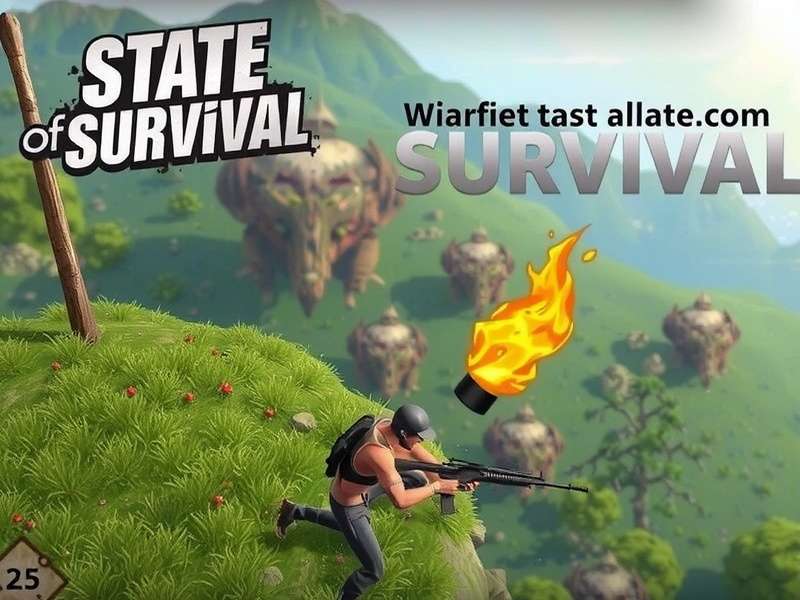
1. Overview of State Of Survival Gameplay on Android
State Of Survival is a top-tier mobile strategy game that has taken the Indian gaming community by storm. Developed by KingsGroup and published by FunPlus, this zombie-themed survival MMO puts you in command of a settlement in a post-apocalyptic world. The State Of Survival gameplay Android experience is optimised for touch controls, offering seamless base building, hero recruitment, and real-time PvP battles — all from the palm of your hand.
For Indian players, the game resonates deeply because of its community-driven alliances, frequent events aligned with Indian festivals (like Diwali and Holi), and affordable in-app purchases via local payment methods like UPI and Paytm. The Android version receives updates faster than iOS in many cases, making it the preferred platform for competitive players in India.
In this guide, we’ll walk you through every aspect of State Of Survival gameplay Android — from installation to endgame strategies. Whether you’re a naya player (newcomer) or a seasoned commander, you’ll find exclusive insights, data-backed tips, and pro strategies that go beyond the usual tutorials.
2. Getting Started with State Of Survival on Android 📲
2.1 Downloading and Installing
Head over to the Google Play Store and search for "State Of Survival". The official app has over 50 million downloads and a 4.5-star rating. Tap install and wait for the download to complete. Once installed, open the app and grant necessary permissions (storage, notifications) for the best experience.
2.2 Initial Setup: Choosing Your Commander Name
Your commander name is your identity in the game. Choose wisely — something that reflects your style, like “ZombieSlayerIN” or “BharatSurvivor”. You can change it later with in-game currency, but it’s better to lock in a solid name early.
2.3 Understanding the UI: Android vs iOS
The Android interface is slightly different from iOS. The bottom navigation bar on Android gives quick access to your base, world map, alliance, and events. The back button on Android helps you navigate menus easily — a feature iOS users envy!
3. Core Gameplay Mechanics on Android 🎮
State Of Survival gameplay Android revolves around four core pillars: Base Building, Hero Management, Resource Gathering, and Combat. Let’s break each one down.
3.1 Base Building: Your Safe Haven 🏗️
Your base is the heart of your operation. You’ll construct and upgrade buildings like the Headquarters, Barracks, Hospital, Research Lab, and Resource Production Facilities. Each level unlocks new features, troop types, and buffs.
- Headquarters (HQ): The core building. Upgrade it to unlock new buildings and increase your power cap.
- Barracks: Train troops here. Higher levels unlock stronger units like Shooters, Riders, and Infantry.
- Hospital: Heal wounded troops after battles. A maxed-out hospital is a lifesaver during alliance wars.
- Research Lab: Invest in technologies like Combat, Economy, and Survival to boost your overall efficiency.
3.2 Resource Management 💰
There are five main resources in the game: Food, Wood, Metal, Gas, and Diamonds (premium currency). Food and wood are used for basic construction and training, while metal and gas are needed for advanced upgrades. Diamonds are earned through events, achievements, or purchased via State Of Survival Promo Codes and special offers.
Indian players often rely on daily login rewards and alliance gifts to stock up on resources without spending real money. Pro tip: always keep your resource storage buildings upgraded to protect your stash from enemy raids.
3.3 Combat System: Real-Time Strategy ⚔️
Battles in State Of Survival are real-time and require strategic troop placement. You can send your heroes and troops to attack infected zones, enemy bases, or world map objectives. The combat system uses a rock-paper-scissors mechanic: Infantry beats Riders, Riders beat Shooters, and Shooters beat Infantry. Mastering this triangle is key to winning battles.
For a deeper dive into fight mechanics, check out our State Of Survival Guide Battle Mechanics page.
4. Hero System and Character Guide 🦸
Heroes are the backbone of your army. Each hero has unique skills, specialties, and synergies. As of 2025, there are 35+ heroes in the game, each falling into one of three specialties: Combat, Support, or Gathering.
4.1 Top Heroes for Android Players in India
| Hero | Specialty | Best For | How to Unlock |
|---|---|---|---|
| Rusty | Combat | Infantry Lead | Story Mode |
| Maddie | Combat | Rider Squad | Gold Recruitment |
| Ghost | Support | Healing & Buffs | Events |
| Jeb | Gathering | Resource Farming | Tavern |
| Sarge | Combat | Shooter Squad | Alliance Store |
| Doris | Support | Troop Healing | Story Mode |
Pro tip: Focus on Rusty and Maddie early on — they’re relatively easy to level up and perform well in both PvE and PvP. For Indian players who prefer a defensive playstyle, Ghost is a must-have for keeping your troops alive during long campaigns.
4.2 Hero Upgrade Path
Upgrade heroes using biometric chips and hero shards. You can earn these through daily missions, alliance store, and special events. Each hero can be promoted from Rare → Epic → Legendary, unlocking powerful abilities at each tier.
If you’re struggling to gather resources for upgrades, our State Of Survival Codes New Players page lists active codes that give free shards and speed-ups.
5. Base Building Deep Dive 🏰
5.1 Optimal Building Placement
In State Of Survival gameplay Android, base layout matters. A well-organised base not only looks clean but also improves your defence during raids. Group your resource production buildings together, surround your Headquarters with defensive towers, and keep your Hospital centrally located for quick troop healing.
5.2 Upgrade Priority (HQ-30 Path)
Reaching HQ Level 30 is the mid-game goal for most Indian players. Here’s the optimal upgrade order:
- Headquarters — always keep this as high as possible.
- Barracks — unlock stronger troops.
- Hospital — reduce troop death rate.
- Research Lab — unlock combat technologies.
- Resource Storage — protect your loot.
Don’t waste speed-ups on unimportant buildings like Decoration or Memorial early on. Focus on functional upgrades only.
5.3 Using Shields Effectively
Shields are your best friend when you’re offline. A 24-hour shield costs 500 diamonds, but you can earn them for free through State Of Survival Gameplay Multiplayer events and alliance gifts. Always keep a shield active if you’re carrying a large resource stockpile.
6. Alliance System and Multiplayer Features 🤝
The alliance system is the soul of State Of Survival gameplay Android. Joining an active alliance gives you access to alliance tech, alliance store, alliance events, and most importantly — protection. In the Indian server, alliances like “Bharat Army”, “Desi Warriors”, and “Zombie Haters IN” are known for their coordinated attacks and helpful communities.
6.1 Alliance Events Calendar
- Alliance Clash: Weekly PvP tournament. Coordinate with your alliance to attack rival bases.
- Infernal Invasion: PvE event where you fight waves of zombies for rare rewards.
- Doomsday Hunt: Hunt world bosses as a team for massive loot.
- Alliance vs Alliance (AvA): The ultimate test of strategy and teamwork.
For a complete event guide, visit our State Of Survival Help page.
7. Battle Strategies and PvP Combat ⚡
7.1 Troop Composition Guide
For general PvP, a balanced march of 40% Infantry, 30% Riders, 30% Shooters works well. For PvE (zombie hordes), lean heavier on Shooters (50%) since zombies often lack rider-type counters.
7.2 Hero Skills and Timing
Each hero has an active skill that can be triggered during battle. Rusty’s “War Cry” boosts infantry attack by 25% for 10 seconds. Maddie’s “Rapid Fire” decimates enemy front lines. Save your hero skills for the right moment — don’t spam them all at once.
7.3 Attacking vs Defending
When attacking, scout first! Use a single troop to check the enemy’s formation. When defending, keep your hospital upgraded and maintain a garrison of strong heroes in your base. For advanced defence tactics, see our State Of Survival Last Warrior Guide.
8. Special Events and Seasonal Content 🎉
State Of Survival runs limited-time events almost every week. These events offer exclusive rewards like legendary hero shards, skin packs, and rare resources. For Indian players, events tied to festivals like Diwali and Pongal often feature special themed skins and double reward days.
- Diwali Dhamaka Event: Earn double rewards on all resource gathering for 72 hours.
- Holi Hai Challenge: Complete colour-themed missions for unique profile frames.
- Republic Day Parade: Special troop skins inspired by Indian armed forces.
Stay updated on upcoming events via our State Of Survival Codes 2025 Not Expired page — we list all active codes and event calendars there.
9. Advanced Tips and Tricks for Android Players 🧠
Speed-Up Management
Use 5-minute speed-ups for small tasks and save 60-minute+ speed-ups for HQ upgrades. Never use diamonds to speed up — it’s not worth it.
Alliance Gifts
Be active in an alliance that sends gifts regularly. You can earn hundreds of diamonds per week just by clicking “Claim All”.
World Map Farming
Use the world map to gather resources from infected zones. Send multiple troop marches simultaneously to maximise yield.
Use Promo Codes
Always redeem active promo codes. Check State Of Survival Promo Codes for the latest working codes.
Browser Version
Did you know you can also play on PC via the browser? Visit State Of Survival Game Browser to continue your progress on a bigger screen.
Troubleshooting Crashes
If the game keeps crashing on your Android device, clear the cache and lower graphics settings. For iOS issues, see State Of Survival Game Keeps Crashing On Ios.
10. Common Issues and Troubleshooting 🔧
10.1 Game Lag on Android
If you experience lag, try these fixes: reduce graphics quality to Medium, disable shadow effects, and close background apps. The game runs smoothly on devices with 4 GB RAM or more.
10.2 Login Issues
Make sure your Google Play Games account is synced. If you lose progress, contact support with your player ID (found in Settings → Account).
10.3 Redeeming Codes
To redeem codes, go to Settings → Redeem Code and enter the code exactly as shown. Codes are case-sensitive. For a step-by-step guide, visit How To Put In Codes In State Of Survival Hack.
11. Frequently Asked Questions (FAQ) ❓
Is State Of Survival free to play on Android?
Yes, State Of Survival is completely free to download and play on Android. In-app purchases are optional and mostly for cosmetic items or speed-ups. Indian players can enjoy the full game without spending a single rupee.
How do I get free diamonds in State Of Survival?
Earn free diamonds by completing daily missions, participating in events, claiming alliance gifts, and redeeming active promo codes. You can also watch ads for small diamond rewards.
Which Android devices are best for State Of Survival?
Any device with 4 GB RAM or more and a decent processor (Snapdragon 600 series or above) will run the game smoothly. Popular choices among Indian players include OnePlus Nord, Redmi Note 12, Samsung Galaxy M series, and Realme 10 Pro.
Can I play State Of Survival on PC and Android with the same account?
Yes, your progress is cross-platform. You can log in on both Android and browser using the same Google Play or Facebook account. Check our State Of Survival Game Browser guide for setup instructions.
How often are new promo codes released?
New codes are typically released during major updates, festive events, and community milestones. Bookmark our State Of Survival Promo Codes page for the latest updates.
12. Final Words from the SoS India Team 🇮🇳
State Of Survival gameplay Android offers an incredibly deep and rewarding experience for Indian players. Whether you're a casual builder or a hardcore PvP warrior, there's always something new to learn and achieve. Remember to join an active alliance, stay on top of events, and never forget to redeem your promo codes for free rewards.
We hope this guide helps you on your journey from a fresher survivor to a legendary commander. If you found this useful, share it with your squad and check out our other guides:
- State Of Survival Last Warrior Guide — master the endgame
- State Of Survival Gameplay Multiplayer — dominate alliance events
- State Of Survival Guide Battle Mechanics — understand every fight
- State Of Survival Help — troubleshooting & support
Stay safe, stay strong, and keep surviving! 🧟🔥
📣 Share Your Experience
We value your feedback! Rate the guide and leave a comment below. Your input helps us create better content for the Indian State Of Survival community.
Leave a Comment
Rate This Guide
Recommended Resources
- State Of Survival Gameplay Android
- State Of Survival Promo Codes
- State Of Survival Last Warrior Guide
- How To Put In Codes In State Of Survival Hack
- State Of Survival Gameplay Multiplayer
- State Of Survival Game Browser
- State Of Survival Codes New Players
- State Of Survival Guide Battle Mechanics
- State Of Survival Help
- State Of Survival Game Keeps Crashing On Ios
- State Of Survival Codes 2025 Not Expired